Posted 2 of these before, but anyway:
Wiki: Screenshots
-
BlackViper
- Posts: 6993
- Joined: Thu Aug 07, 2003 7:00 am
- Location: Green Bay, WI


-
AaronMoore
- Posts: 471
- Joined: Sun May 06, 2007 3:09 pm
- Location: Australia
Hi Guys,
If anyone knows how to get nice screenshots like these:
http://www.freeallegiance.org/screenshots/#Ships
You know, without all the HUD, radar, grid etc, this might be a nice thing to include in the Wiki.
(Tips to get clear screenshots - Useful for desktops etc)
How do you suggest the best way is? Cycle "i" to turn off radar, then chase cam, or Target/Missile cam (is it Ctrl-F9)??
The wiki is looking great guys!
If anyone knows how to get nice screenshots like these:
http://www.freeallegiance.org/screenshots/#Ships
You know, without all the HUD, radar, grid etc, this might be a nice thing to include in the Wiki.
(Tips to get clear screenshots - Useful for desktops etc)
How do you suggest the best way is? Cycle "i" to turn off radar, then chase cam, or Target/Missile cam (is it Ctrl-F9)??
The wiki is looking great guys!


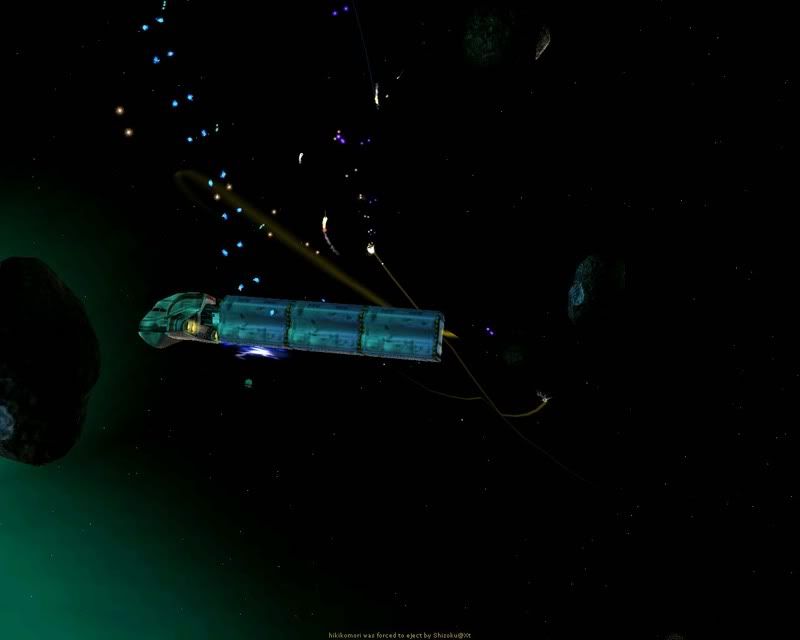
Yeah, but that looks like crud because it's viewed from directly above. F9 View target is nice, but difficult to get your ship and target lined up for a photo opportunity, and View Missile (F12?) can be cool if you, ahhh, "miss" your target.

Usually though, "skill" is used to covertly mean "match the game exactly to my level of competence." Anyone who is at all worse than me should fail utterly (and humorously!) and anyone better is clearly too caught up in the game and their opinions shouldn't count.
no its not, that's shift + f3juckto wrote:QUOTE (juckto @ Mar 13 2008, 09:38 AM) Yeah, but that looks like crud because it's viewed from directly above.
one of either f10 or f11 (something in that area, cant quite remember) lets you control where the camera is looking at your target using the arrow keys and turret zoom keys
Last edited by madpeople on Thu Mar 13, 2008 12:47 pm, edited 1 time in total.
MadP, that is F10. I've done it enough times to scale the BSG stuff, and it's not just top-down.
Also: F12 gives you a a view of your craft, looking at the target. It's the same view as when you launch
Also: F12 gives you a a view of your craft, looking at the target. It's the same view as when you launch
Last edited by Andon on Thu Mar 13, 2008 2:38 pm, edited 1 time in total.


-
AaronMoore
- Posts: 471
- Joined: Sun May 06, 2007 3:09 pm
- Location: Australia
Huh. Guess I never tried to tilt the camera up down in that mode.
Sure, add them to the screenshot page - don't bother creating a new page.
Sure, add them to the screenshot page - don't bother creating a new page.
Usually though, "skill" is used to covertly mean "match the game exactly to my level of competence." Anyone who is at all worse than me should fail utterly (and humorously!) and anyone better is clearly too caught up in the game and their opinions shouldn't count.